

SLADE configuration guide
This is a short guide on how to configure SLADE for creating custom maps for ViZDoom. SLADE is a cross-platform editor for Doom-engine-based games, including Doom, Heretic, Hexen, Strife, and others.
This is not meant to be a full tutorial on how to use SLADE. For more information and tutorials on how to use SLADE, please refer to the official SLADE wiki.
You can download SLADE for Linux, MacOS, and Windows from here. It is also available as a Flatpak on flathub
For all these steps it is assumed that user installed ViZDoom in venv under /home/marek/ViZDoom/venv and that ViZDoom repository is located in /home/marek/ViZDoom. Please adjust paths accordingly to your setup.
1. Configuring SLADE base resource paths
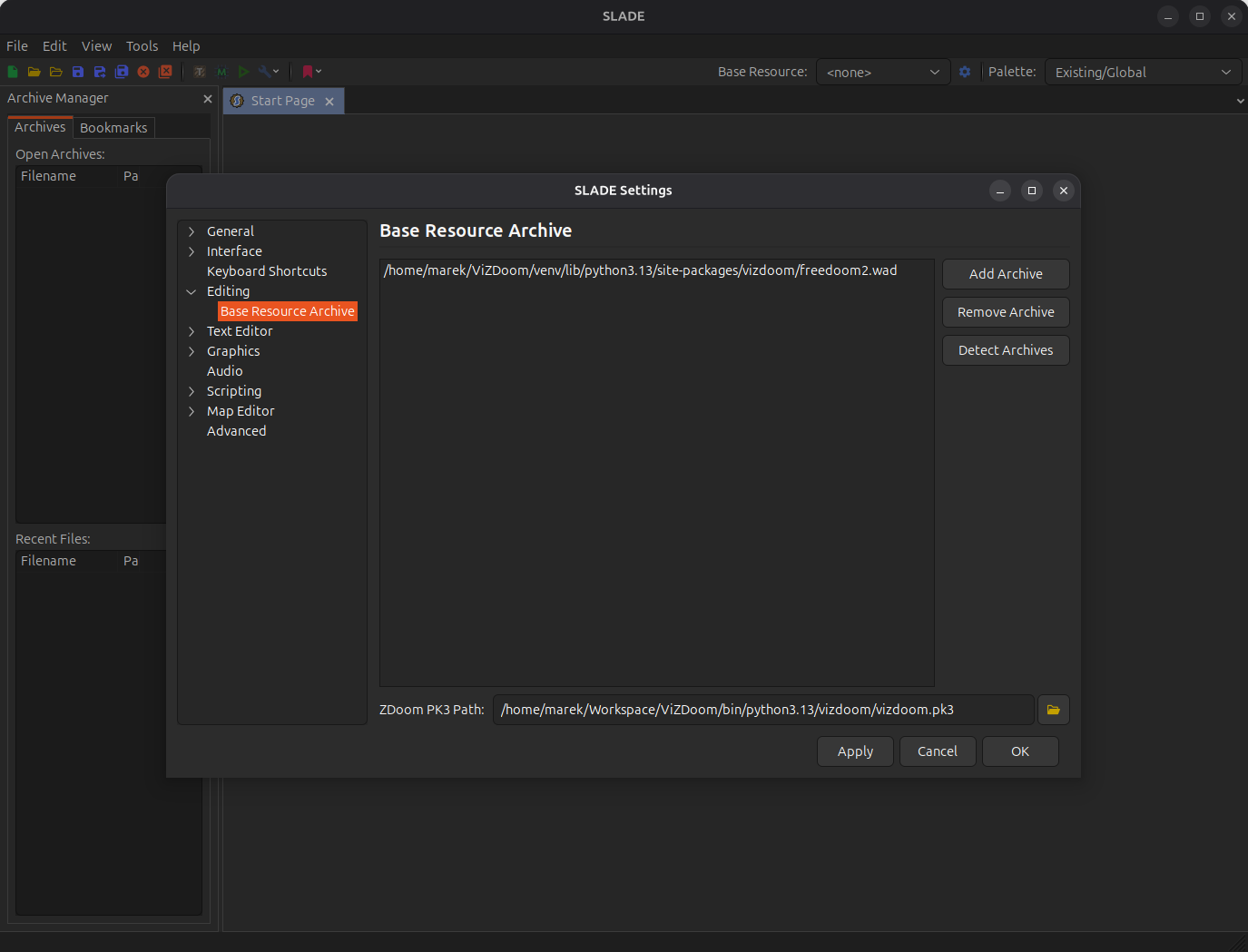
After installing and starting SLADE, you need to configure the base resource paths. Go to Edit -> Preferences -> Editing -> Base Resource Archive. You need to add the path to the Doom2 WAD file (or any other IWAD file you want to use). If you do not have the Doom2 WAD file, you can use the free Freedoom2 WAD file. It is distributed as a part of ViZDoom package. You can also download Freedoom from here.
Click on the Add archive button and add the path to the base WAD file. In our case, it is /home/marek/ViZDoom/venv/lib/python-3.13/site-packages/vizdoom/freedoom2.wad, but can be also doom2.wad or any other IWAD file you want to use.
All default WAD files available in ViZDoom are created for Doom/Freedoom 2 games.
Then in the ZDoom PK3 Path below select vizdoom.pk3 file located in the ViZDoom package. In our case, it is /home/marek/ViZDoom/venv/lib/python-3.13/site-packages/vizdoom/vizdoom.pk3.
After adding the paths, it should look like this:
2. Configuring ACS compiler
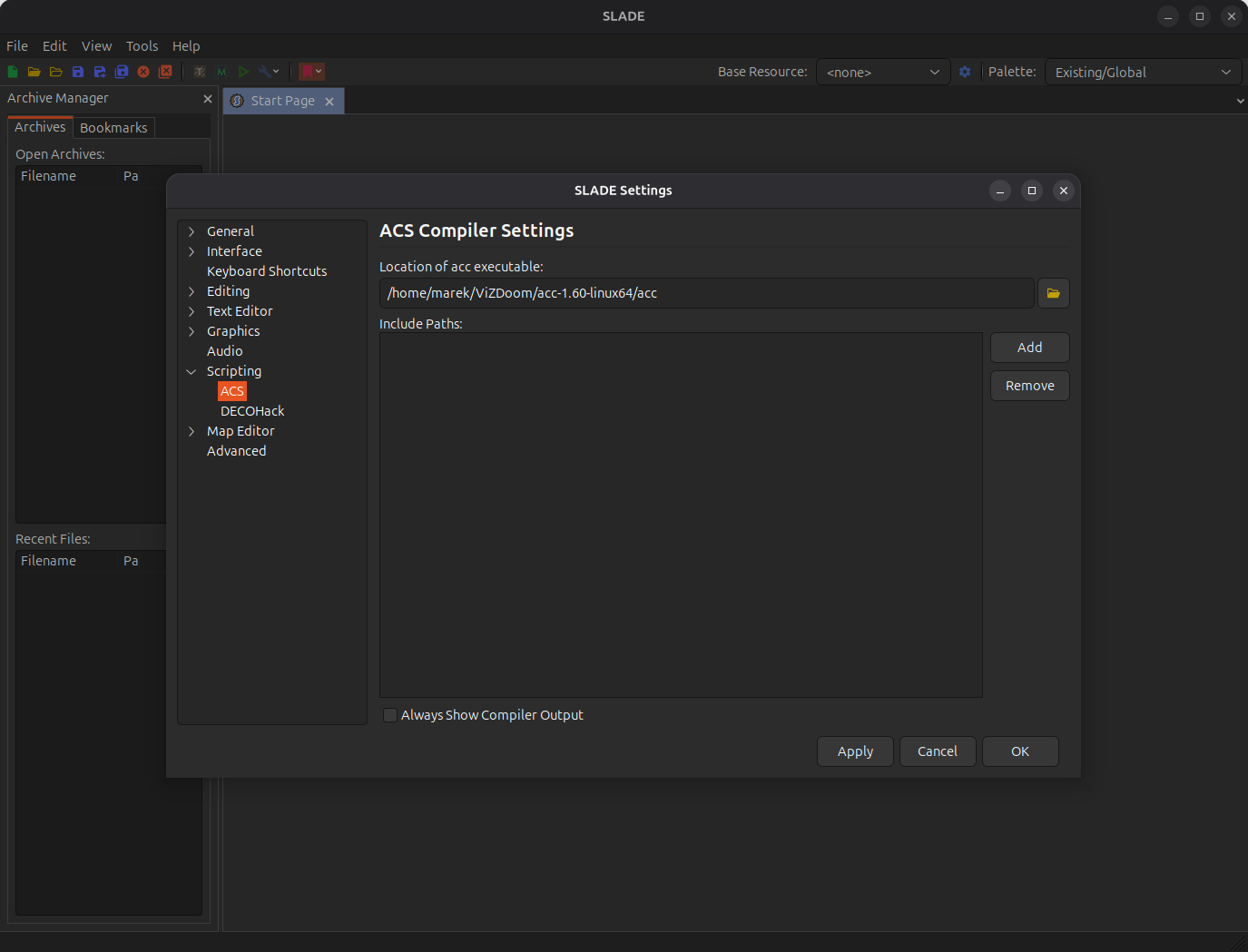
Next, you need to configure the ACS compiler. Go to Edit -> Preferences -> Scripting -> ACS. In the Location of acc executable field, you need to select the path to the acc executable located in the ViZDoom venv. In our case, it is /home/marek/ViZDoom/acc-1.60-linux64/acc. You also need to add the following parameters in the Parameters field:
3. Launching map editor
Now you are ready to edit maps using SLADE. You can load one of the existing WAD files available in ViZDoom repository or create a new WAD file.
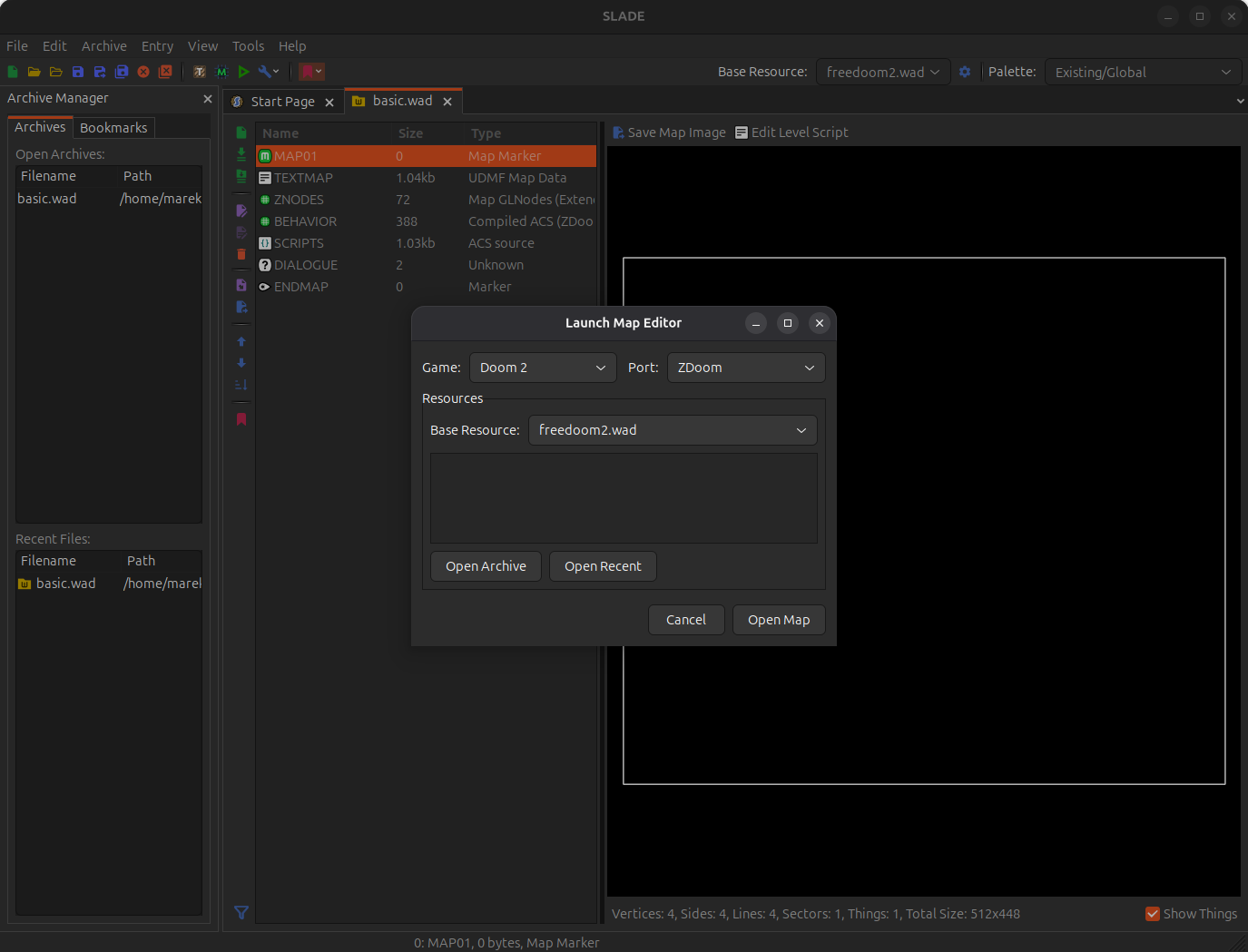
When lunching map editor it is important to select matching game and base resource. In our case it is Doom2 game for freedoom2.wad.
For source port after select ZDoom which is a base of ViZDoom.
4. Running the map
When you are done with editing the map, you can run it using ViZDoom executable to see how it looks and plays.
Map editor allows you to run the map directly from the editor. It will ask you to select game executable type (again select ZDoom) and path to the executable, select vizdoom executable located in the root directory of ViZDoom package (in our case, it is /home/marek/ViZDoom/venv/lib/python-3.13/site-packages/vizdoom/vizdoom).

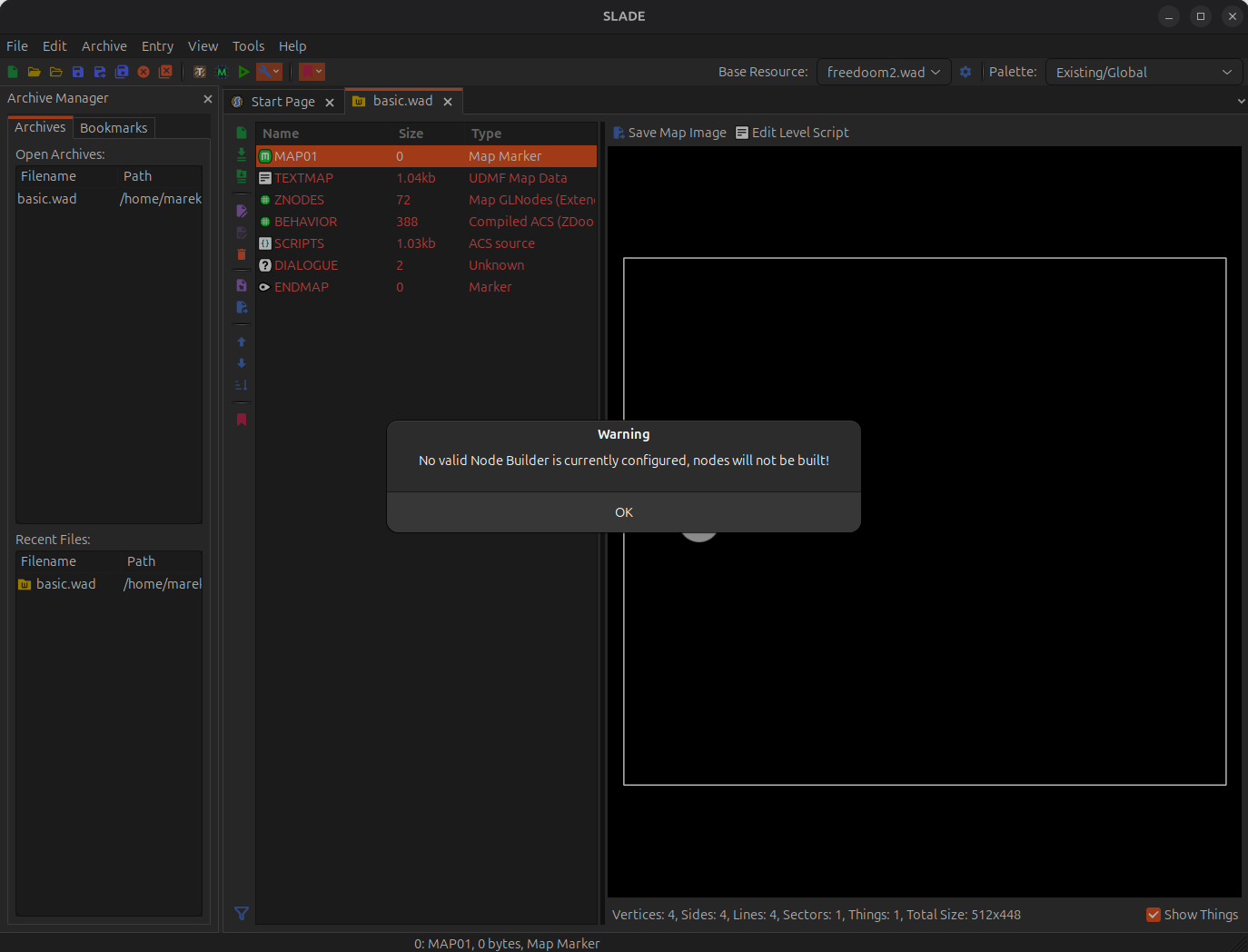
The editor may show a warning about missing node builder. You can ignore it, as ViZDoom has it built in and does not require it to be installed.